My last post on lighting wasn’t 100% accurate. I left a correction so I think that covers the biggest mistake. A lot of the info on each specific topic was good, but how they worked together was incorrect.
I just want to recap how shadows are computed. And Lumen doesn’t do direct shadows so it doesn’t matter if Lumen is on or off.
If you use Nanite, you must use Virtual Shadow Maps and you don’t need to worry about all the other systems. It is much slower, but if you only use Nanite, the traditional pipeline is not used and you can gain some speed back since each pipeline has overhead. If you use both is where most games get their framerate down. Use the traditional pipeline (no VSM and no Nanite) or use Nanite (which requires VSM).
The VSM and Nanite pipeline is obviously quicker for development. No LOD’s and no shadow setup.
Now let’s look at what the traditional pipeline is for shadows.
If you use a directional light (stationary or movable), then within a certain radius that you can specify on the light will produce Cascade Shadow Maps (CSM). These take over ALL shadows affected by the directional light. So if you have baked lighting, CSM will override those.
For other lights, it doesn’t work this way. For those lights (like spotlights, rect lights, point lights, etc.), when you are very close up (as in hundreds of cm and you cannot change this distance), it will use per object shadows. CSM does the same thing, but for all objects at once in an optimized fashion and you can set the number of quality levels to use with the best quality up close. If the object casting a shadow is a little further away from the camera, then it switches to an fallback mechanism that you have set on the light. If your light is static or stationary, it will use baked static lighting for static objects. For everything else, it will use Distance Field Shadows if you have it turned on. If you don’t have DFS turned on with your light, then it will continue to use per object shadows.
All this is true ONLY if you don’t use a directional light. Even if you have a directional light and you turn Cast Shadows off, nothing in the last paragraph is true. Directional lights override all shadows even if Cast Shadows is off. Only if you turn intensity to 0 on the directional light will other lights revert to their original behavior.
With directional lights on and shadowing distances set to zero, even with Cast Shadows off, VERY strange things will happen. None of your other lights will work correctly. If you use directional light, the only reliable way to turn them off is to set the intensity to 0.
When you use directional lights and you set it up properly with a non zero intensity and set up a proper CSM distance, etc. the directional light controls the shadow budget for your entire scene. If you move the camera back and you have a spotlight that is far away, the directional light can just start telling the spotlight “No more shadows for you” and spotlight shadows will just suddenly vanish. You can use the command r.Shadow.FadeResolution and set it to a lower number than the default 64 to keep the shadows around longer, but it’ll eat your budget somewhere else. Even CSM distance won’t help you here. The shadow could be well within CSM range and it can still make shadows disappear. The directional light is king. It rules all shadows. If you use r.Shadow.FadeResolution, you may also want to set r.Shadow.MinResolution to be at least half of FadeResolution. MinResolution is the resolution at which the shadow is removed. FadeResolution is the resolution when it starts fading. Setting FadeResolution automatically lowers MinResolution to at least the same value. But this means no fading. The shadow will just suddenly disappear.
As can be seen, just getting other lights to work with a directional light is a pain. And we haven’t even gotten to what happens beyond the CSM range. Here, you have three options.
- Static baked lighting (only on static and stationary assets and light must be static or stationary)
- Distance Field Shadows (works on everything except static lights)
- Far shadows
You can only choose one of DFS or Far Shadows. You cannot use them both at the same time. Baked lighting can be used in combination with either of those. So if something has baked lighting beyond the CSM range, it will use that. If not, it will use either DFS or Far Shadows. If neither of those is enabled, there are no shadows.
Distance Fields are like voxels. Movable objects can produce distance fields. So for far objects, these are great for producing shadows on both static and movable assets. Except they don’t work on skeletal meshes. The workaround I’ve used is to create invisible proxy meshes that cast hidden shadows. In order for it to not be used within the CSM range, I used a masked material and just set the opacity mask to 0. Within CSM, it will look at the material. But beyond CSM, the distance field generation does not look at the material at all. So the transition from CSM to DFS is 100% smooth. You can’t tell there is a transition at all. This is one of the weirdest hacks I’ve ever seen in Unreal Engine. But it works perfectly.
Far shadows are the alternative to distance fields. Far shadows are like CSM, but further away at lower resolution. That’s it. Not sure if it’s better or worse, faster or slower. I haven’t really tried it much. It does work and should work with skeletal meshes since CSM works with skeletal meshes. But I’m not sure.
With all of that, it’s easy to see why people would just use Virtual Shadow Maps. You deal with none of this. It handles all shadows for the entire level. It does reduce framerate with lots of camera movement, especially camera rotations and people have had issues with cache invalidation not happening quick enough. There are some settings with that. VSM does have quite a performance hit overall. And you must turn on Nanite. But like I said earlier, if you only use Nanite, the overhead for the traditional pipeline disappears and you can get some of the performance back.
It’s easy to see why studios are preferring Nanite and VSM over traditional workflows. And if they use Lumen as well, they now need an upscaler like DLSS (or even frame generation) to bump up the framerate.
Speaking of Lumen… now that I’ve fixed all the lighting in my game, I’ve noticed something quite drastic.
 |
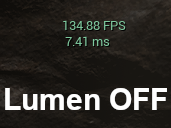 |
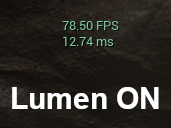
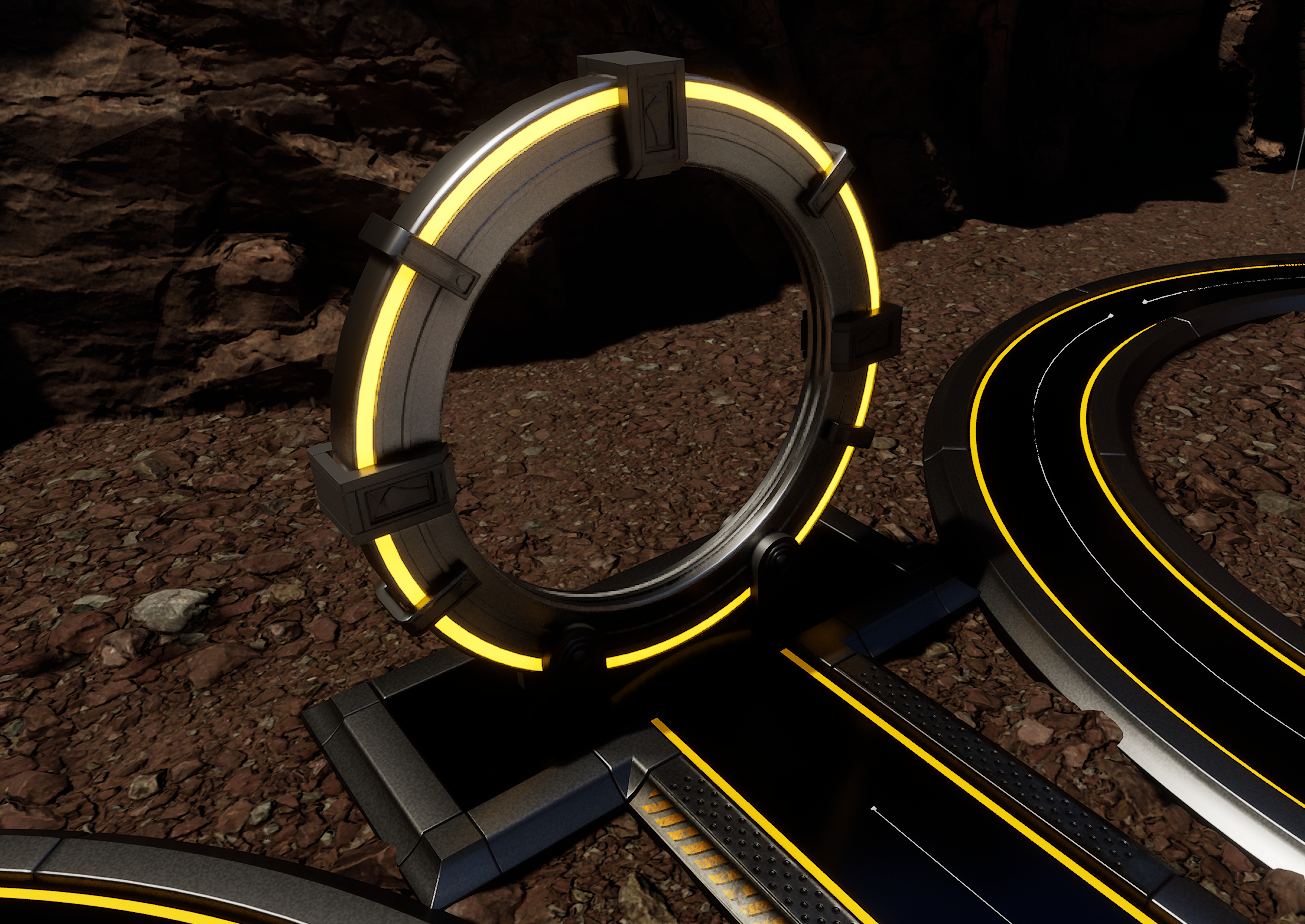
Now, 80fps with Lumen on using an old 1080Ti is really really good. 1080Ti is about equivalent to 3060, but no ray tracing. But you know what’s better than 80fps? 135fps! And I really can’t tell the difference between Lumen on and off most of the time. The most significant difference isn’t Lumen GI, but rather Lumen reflections. Even though they are blurrier than screen space reflections are planar reflections and they don’t work with Niagara effects, they are consistent, don’t have artifacts, and generally look good and make the emissives that I have on the towers and other assets look really good. The reflections on the towers look a lot better too. But is it worth half my framerate?
Here’s the difference with Lumen on and off. I tried to find something that made Lumen look better and the biggest difference. I also want to show off my new gate. Note that this is using default Lumen reflections and default Screen Space Reflections (when Lumen is off). In the game, I have custom reflections for both that make the niagara effect show up a lot better.
With Lumen:
Without Lumen:
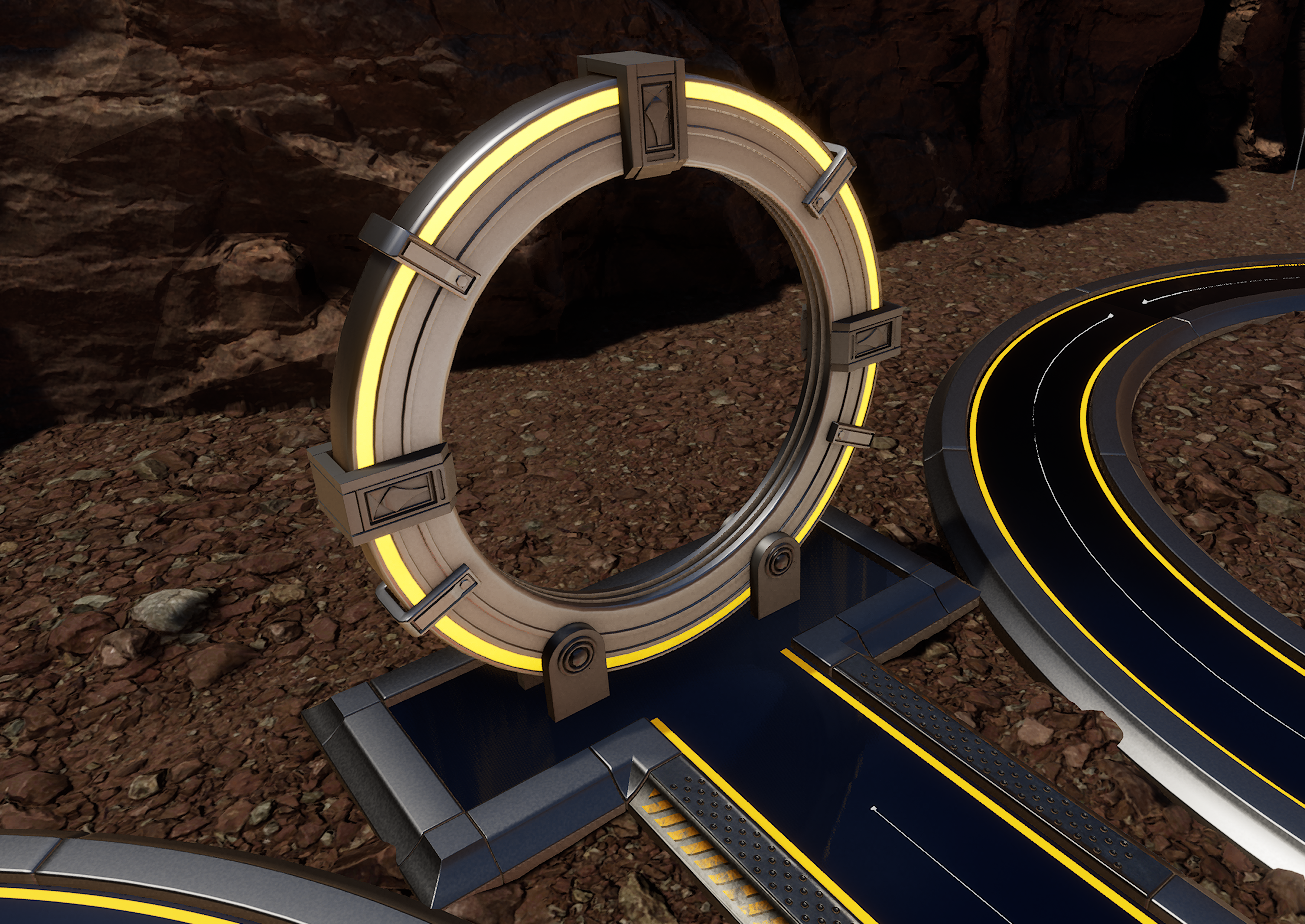
The brightness and contrast can be adjusted. Currently, the user has the option to select Lumen or not. But will a gamer really know to do this? I added a checkbox to make it easier, but I worry that people won’t know what the best settings are. And is this really something I want to keep in the game at the expense of half the framerate?
As for the rest of the game, I only have levels left to do for the most part. There’s still integration with the Steam and Epic store API’s to do. But all the in game programming is done except for one bug with the carrier tower that I will be fixing shortly. All the issues with lighting are resolved. New assets have been added (new gate, new door and new sound effects). French language has been added. The game is very well optimized as can be seen above. I have several levels to do for the main campaign. And I want to add 5 alternate methods of playing. Things like fixed starting income (no income during gameplay), only rank 1 towers, limited number of towers, no interest, infinite, one of each tower before building a second, etc. Haven’t chosen which ones yet, but these are easy to implement. After that, I’m thinking I may add some bonus levels that all get unlocked at once after the main campaign.
Still a bit of work to do, but all the difficult stuff is done. Next task is to start cranking out levels and after that I should be close to release.
